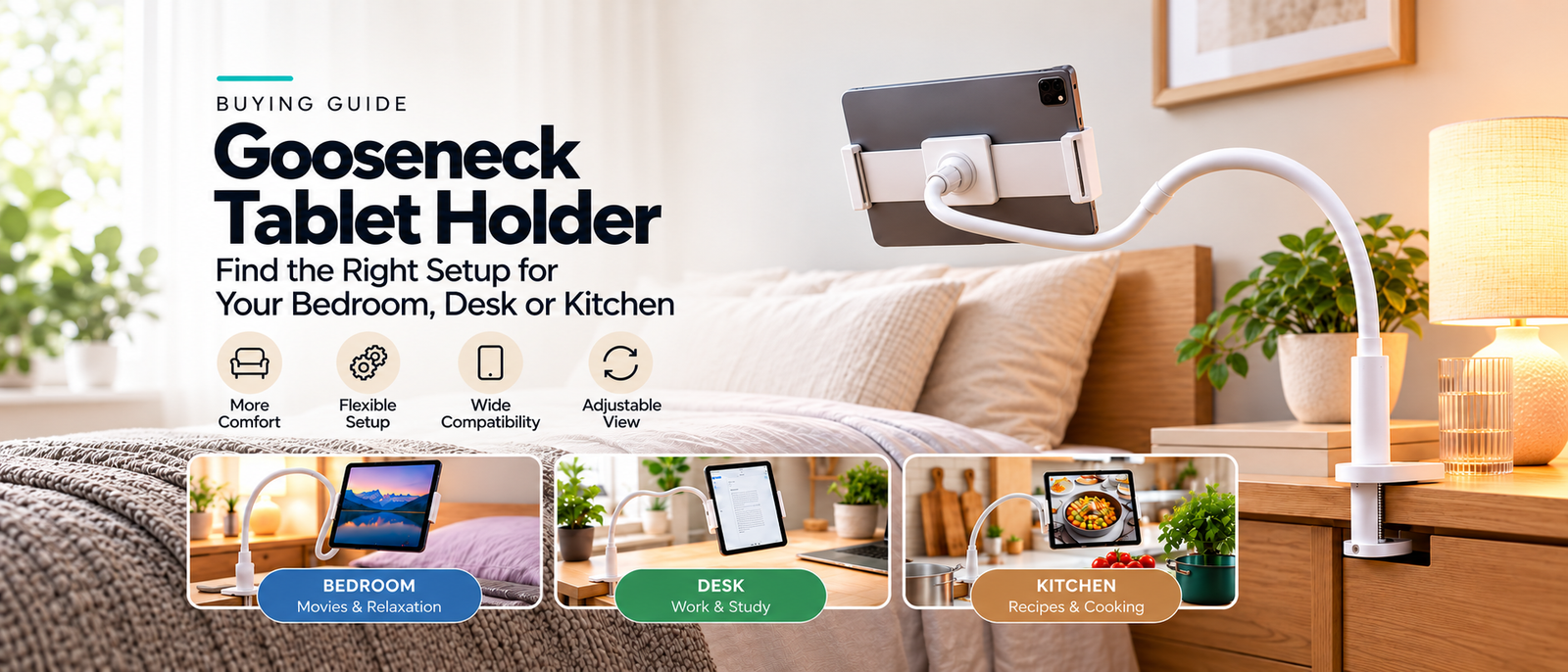
Holding a tablet while watching a movie, reading, or following a recipe can quickly become inconvenient. A gooseneck tablet holder offers a simple alternative: attach it to a suitable surface, adjust the flexible arm, and position your screen where you need it.
Before buying a flexible tablet mount, consider where you'll attach it, how often you'll adjust it, and whether it can comfortably support your device.
Before choosing one, it's worth checking a few practical details, including device compatibility, mounting space, adjustability, and stability.
Here's what to look for when shopping for a flexible tablet and phone holder.
1. Start With Where You'll Use It
The best setup depends on how you plan to use your device.
For watching movies in bed: For bedside viewing, attach the clamp to a firm, level furniture edge. Position the screen at a comfortable angle beside you rather than suspending it directly over your head.
For working at a desk: A flexible holder can serve as a secondary screen mount for reference documents, tutorials, video calls, or messages. It's particularly useful when you want to keep your main desktop clear.
For following recipes: A tablet holder can keep cooking instructions visible while you're preparing ingredients. Position the device away from sinks, hot surfaces, and areas where it could be knocked.
Think about your most common activity before deciding which type of holder suits you.
2. Check Phone and Tablet Compatibility
One of the biggest mistakes shoppers make is assuming every holder fits every device.
Before ordering, check:
-
The supported device width and thickness.
-
The maximum device weight.
-
Whether your phone or tablet case affects the fit.
-
Whether the holder supports your preferred screen orientation.
Some adjustable holders accommodate multiple device sizes, but compatibility varies between models.
Always compare your device measurements with the seller's specifications.
3. Look for a Flexible, Adjustable Arm
The main advantage of a gooseneck holder is its flexible positioning.
Unlike a basic tabletop stand, a bendable arm lets you adjust the screen's location and viewing angle.
This can be useful when switching between reading, streaming, studying, and video calls.
However, a longer arm isn't automatically better. The holder should remain stable when supporting your device.
Look for a design that offers practical positioning without excessive movement.
4. Pay Attention to the Clamp
A clamp-mounted tablet holder attaches to a suitable furniture edge, saving space on the surface itself.
Before purchasing, measure the thickness of the desk, bedside table, or other mounting surface.
Consider whether the edge is strong enough to support the holder and device.
A flat, sturdy edge is generally preferable to a fragile, rounded, or unstable surface.
Also check whether the clamp has protective padding to reduce the risk of marking furniture.
5. Choose a Holder That Rotates
Different activities work better with different screen orientations.
Portrait mode is convenient for reading articles, browsing recipes, and making certain video calls.
Landscape mode is often more suitable for watching movies, tutorials, and widescreen videos.
A rotating device cradle allows you to switch orientations without completely repositioning the mounting base.
The Gooseneck Tablet and Phone Holder at SmartComfortDeals features an adjustable arm, a clamp-style base, and a rotating device holder.
Check the current retailer specifications to confirm compatibility with your device and furniture.
6. Think About Your Everyday Setup
A tablet holder should make an existing routine easier, not create a complicated new one.
For a bedside setup, consider whether you can comfortably see and reach the screen.
For a desk, position the device where it won't obstruct your keyboard, monitor, or frequently used accessories.
In a kitchen, choose a location that keeps your electronics safely away from heat, water, and food preparation hazards.
If you frequently change locations, consider whether repositioning the holder will be convenient.
7. Avoid These Common Buying Mistakes
A few quick checks can help prevent disappointment.
Buying without measuring: Verify the clamp opening and device dimensions before ordering.
Ignoring device weight: A holder that fits a tablet's width may not necessarily support its weight.
Choosing based only on appearance: Attractive product images don't always reveal the actual mounting requirements.
Overlooking furniture stability: A strong clamp still needs a suitable surface.
Forgetting about everyday access: Make sure you can adjust, remove, and operate your device conveniently.
Is a Gooseneck Tablet Holder Worth It?
A flexible tablet mount can be a useful addition to your daily routine, especially when you want to watch videos, read recipes, or follow online tutorials without constantly holding your device.
It is especially worth considering when you have a suitable mounting surface and want a hands-free setup without taking up additional tabletop space.
The right choice depends on your device, furniture, and how frequently you'll use it.
Rather than choosing the most complicated accessory, focus on a holder that suits your everyday needs.
Explore a Hands-Free Viewing Solution
Looking for a flexible phone and tablet holder?
Explore the Gooseneck Tablet and Phone Holder at SmartComfortDeals to learn about its design and available retailer options.
Affiliate disclosure: SmartComfortDeals may earn a commission from qualifying purchases made through retailer links. Prices and availability are determined by the retailer.